Evaluating Watercolor Digital Paper for Modern Design Workflows
In the evolving landscape of digital design, texture plays a pivotal role in bridging the gap between sterile screen interfaces and tangible, organic aesthetics. Watercolor Digital Paper has emerged as a critical asset for designers seeking to infuse warmth, depth, and artistic nuance into their projects. Unlike flat, solid-color backgrounds, these digital assets replicate the unpredictable, fluid nature of hand-painted media, offering a sophisticated backdrop for branding, web design, and print materials. This analysis explores the practical utility, technical specifications, and creative potential of high-resolution watercolor textures, specifically focusing on packs that feature creased compositions, paint splatters, and liquid marble effects.
The Strategic Value of Textured Backgrounds
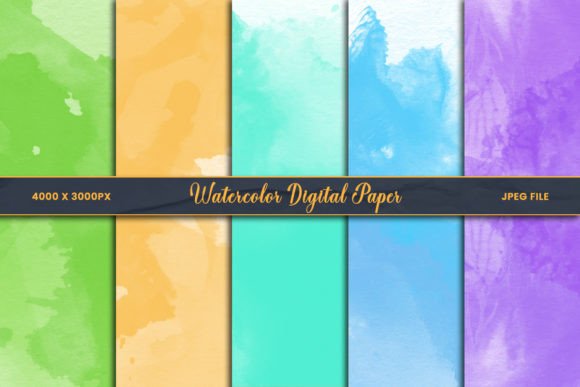
The primary appeal of Watercolor Digital Paper lies in its ability to humanize digital content. In an era where minimalism often dominates web and graphic design, introducing subtle imperfections—such as paper grain, water blooms, or pigment pooling—creates visual interest without overwhelming the primary message. These textures serve as more than mere decoration; they establish mood and tone. A pastel cyan mint liquid marble background, for instance, conveys calmness and modernity, making it ideal for wellness brands or lifestyle blogs. Conversely, a grunge paint background or colorful paint splash background might better suit energetic promotional materials or artistic portfolios.
From a professional standpoint, the versatility of these assets is their strongest attribute. They function effectively across various mediums. For digital applications, such as social media banners or website headers, they provide a unique identity that helps brands stand out in crowded feeds. For print applications, including scrapbooks, card making, and junk journals, they offer a realistic alternative to physical materials, reducing waste and allowing for endless experimentation without the cost of supplies.
Technical Specifications and Usability
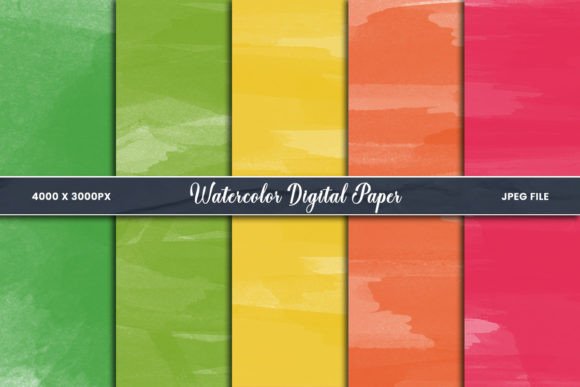
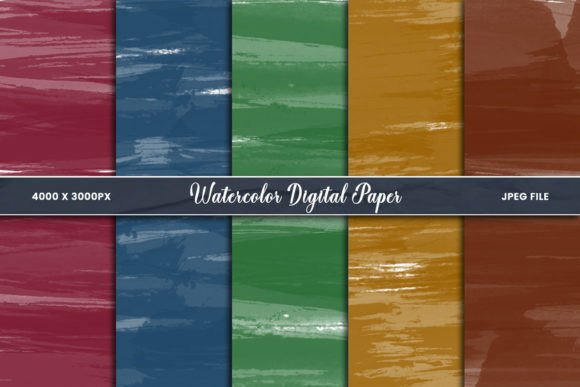
When evaluating any digital asset, resolution and format are paramount. A common pitfall in using stock textures is pixelation or loss of detail when scaled. High-quality Watercolor Digital Paper addresses this by providing files sized at 4000 x 3000 pixels. This high resolution ensures that the intricate details of the watercolor drawing on paper—such as the fine edges of a paint splatter or the subtle gradients in an abstract watercolor background—remain crisp even when used in large-format prints or high-density displays.
The standard JPEG format offers a balance between file size and quality, making these papers accessible for a wide range of software. They are fully compatible with industry-standard tools like Adobe Photoshop, as well as user-friendly platforms like Canva. This compatibility is crucial for freelancers and small business owners who may not have access to expensive software suites but still require professional-grade results. The ability to import these JPEGs directly into Canva allows non-designers to create polished graphics by simply layering text or elements over the textured background.
Integration with Design Software
The true power of these textures is unlocked through advanced editing techniques. In Photoshop, designers can utilize clipping masks and overlays to integrate the Watercolor Digital Paper seamlessly with other elements. For example, placing a logo or product mockup over a realistic liquid marble background and using a blending mode like "Multiply" or "Overlay" can make the design appear as if it is printed directly onto the textured surface. This technique adds a layer of realism that flat designs cannot achieve.
Furthermore, the creased compositions found in many premium packs add another dimension of tactile realism. These pre-existing folds and wrinkles eliminate the need for manual distortion effects, saving time in the workflow. Whether creating a vintage-style collage paper effect or a modern abstract splatter color design background, the inherent structure of the file supports rapid iteration and customization.
Aesthetic Diversity and Creative Application
A robust pack of Watercolor Digital Paper should offer variety to accommodate different project requirements. The inclusion of diverse styles—from pastel paint splatters digital paper to bold, colorful watercolor splashing backgrounds—ensures that users are not limited to a single aesthetic. This diversity is particularly valuable for agencies or multi-disciplinary creators who work with clients across various industries.
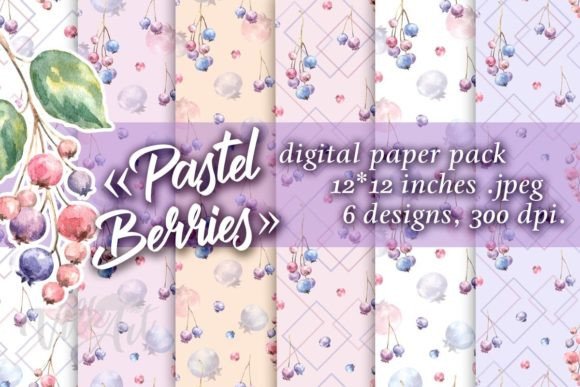
- Pastel and Soft Tones: Ideal for wedding invitations, baby shower announcements, and feminine branding. The soft diffusion of color creates a gentle, inviting atmosphere.
- Abstract and Ink Textures: Suitable for editorial layouts, album covers, and artistic posters. The unpredictable nature of ink and water interactions provides a dynamic, one-of-a-kind look.
- Liquid Marble Effects: A trending aesthetic in contemporary design, perfect for tech startups, fashion blogs, and modern packaging designs. The swirling patterns suggest fluidity and innovation.
- Grunge and Splatter Designs: Effective for urban-themed projects, music event flyers, and edgy streetwear branding. These textures convey energy and raw creativity.
Each of these styles serves a specific communicative purpose. Understanding which texture aligns with the brand voice is essential for effective design. For instance, using a chaotic colorful paint splash background for a corporate financial report would likely be inappropriate, whereas it would be highly effective for a children’s art workshop flyer.
Practical Considerations for Professionals
While the aesthetic benefits are clear, professionals must also consider workflow efficiency and consistency. A well-curated set of Watercolor Digital Paper typically includes a cohesive color palette. This consistency allows designers to maintain brand integrity across multiple touchpoints. If a brand uses a specific shade of blue, having a blue paints spilled on paper texture that matches that hue ensures visual harmony.
Moreover, the reusability of these digital assets offers significant long-term value. Unlike physical watercolor paper, which is consumed with each use, digital files can be reused indefinitely. This makes them a cost-effective solution for small business owners and educators who need to produce regular content. Teachers, for example, can use these backgrounds to create engaging worksheets or presentation slides that capture students' attention without requiring artistic skills.
Limitations and Best Practices
Despite their advantages, there are limitations to consider. JPEG files, while widely compatible, do not support transparency. If a designer needs a watercolor element with a transparent background to place over an existing image, a PNG format would be preferable. However, for full-background applications, JPEGs are sufficient and often result in smaller file sizes, which is beneficial for web loading speeds.
Additionally, the effectiveness of these textures depends on proper contrast management. When placing text over a busy abstract watercolor background, readability can suffer. Designers should use solid color blocks, semi-transparent overlays, or careful typography choices to ensure that the message remains clear. Testing designs on multiple devices is recommended to ensure that the subtle details of the texture translate well on smaller screens.
Who Benefits Most from Watercolor Digital Paper?
The audience for Watercolor Digital Paper is broad, encompassing anyone involved in visual communication. Marketing professionals can use these textures to create eye-catching social media posts that stop the scroll. Entrepreneurs and small business owners can elevate their packaging designs and branding materials without hiring a custom illustrator. Freelance graphic designers can expand their toolkit, offering clients unique, hand-crafted looks that differentiate their work from template-based competitors.
Educators and publishers benefit from the ability to create visually stimulating educational materials. The organic feel of watercolor can make learning resources feel more approachable and less institutional. Similarly, hobbyists engaged in digital scrapbooking or journaling find these assets invaluable for creating personalized, artistic records of their lives without the mess of physical paints.
Final Assessment of Value
In conclusion, Watercolor Digital Paper represents a versatile and high-value resource for modern creatives. Its ability to combine the organic beauty of traditional media with the convenience and flexibility of digital files makes it an essential tool in contemporary design workflows. The key to maximizing its potential lies in understanding the technical specifications, such as the 4000 x 3000 pixel resolution and JPEG format, and applying appropriate design techniques like clipping masks and overlay adjustments.
Whether used for a subtle pastel background in a corporate presentation or a bold, colorful splatter in an artistic collage, these textures add depth and character that flat colors cannot match. For professionals seeking to enhance their visual storytelling, investing in a high-quality, diverse pack of watercolor textures is a practical decision that yields consistent, professional results across both digital and print mediums. As design trends continue to favor authenticity and tactile experiences, the relevance of these digital assets is likely to grow, making them a worthwhile addition to any creative library.