Exploring the Versatility of Procreate Brush 33 – Abstract Suite for Digital Artists
Digital illustration has evolved far beyond simple sketching and flat coloring. Today, artists seek tools that offer texture, personality, and immediate stylistic impact without requiring hours of manual rendering. This is where specialized brush sets, such as the Procreate Brush 33 – Abstract Suite, enter the workflow. Designed for the iPad and iPhone ecosystem, this tool represents a niche yet highly versatile approach to digital line work and texturing. Unlike standard round or square brushes, this suite focuses on intricate, hand-drawn abstract patterns that mimic organic and architectural forms.
For designers, illustrators, and hobbyists evaluating their digital toolkit, understanding the specific utility of such a brush is essential. It is not merely a drawing instrument but a design accelerator. This article examines the unique characteristics of the Abstract Suite, compares it to traditional digital painting methods, and outlines the scenarios where it provides the most value versus when alternative approaches might be more suitable.
Defining the Aesthetic: From Gothic to Kawaii
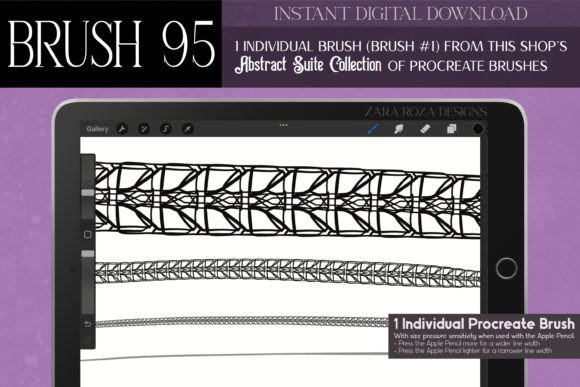
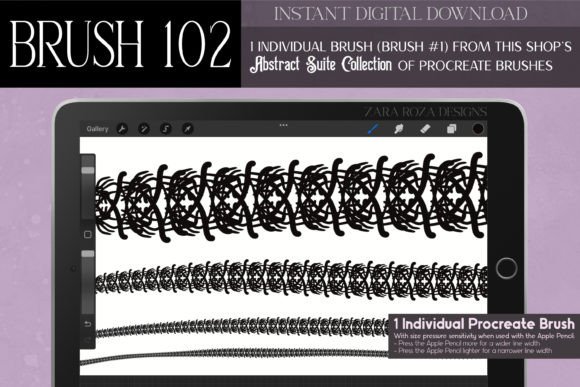
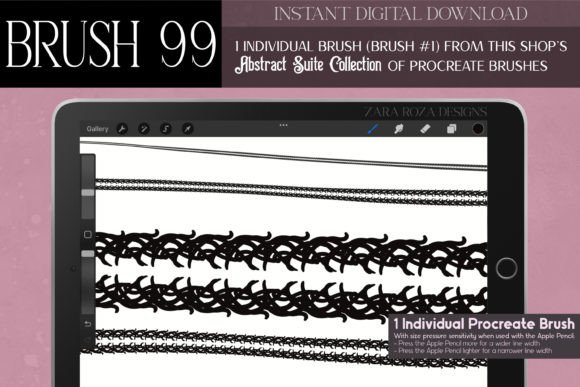
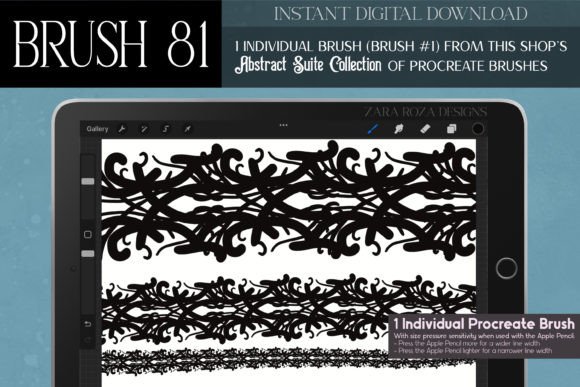
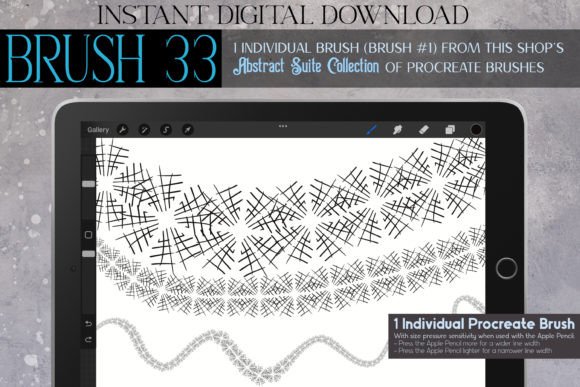
The core distinction of the Procreate Brush 33 – Abstract Suite lies in its source material. Created from a digitally hand-drawn illustration, the brush stamp features a quirky, spider-web-like structure. However, labeling it simply as a "web" brush undermines its versatility. The design intersects multiple aesthetic movements, making it adaptable to various artistic directions.
On one end of the spectrum, the brush captures the essence of gothic and dark academia styles. Its intricate lace-like qualities evoke Victorian elegance, haunted atmospheres, and mystical fantasy themes. It is equally at home in Steampunk designs, where mechanical intricacy meets vintage ornamentation. On the other end, the same lines can be interpreted as kawaii or adorable, particularly when used in lighter contexts such as spring fashion illustrations or playful holiday cards.
This duality is rare in single-stamp brushes. Typically, an artist must choose between a grungy, punk-inspired texture and a clean, elegant line art tool. The Abstract Suite bridges this gap by offering a shape that is both bold and delicate. Whether you are designing jewelry concepts, creating tattoo stencils, or adding embellishments to character outfits, the brush provides a consistent visual language that feels hand-crafted rather than algorithmically generated.
Comparison with Standard Line Art and Texture Brushes
When evaluating digital resources, it is helpful to compare specialized stamps like the Abstract Suite against standard industry tools. Most default Procreate brushes focus on simulation—mimicking pencils, inks, or oils. These are essential for foundational drawing but often require significant time to build complex patterns.
- Time Efficiency: Creating a symmetrical lace border or a complex chain necklace manually using a standard pen brush can take hours. With the Abstract Suite, these elements can be stamped or drawn rapidly, allowing the artist to focus on composition rather than repetitive detailing.
- Consistency vs. Variation: Standard texture brushes rely on randomization to create natural looks. In contrast, the Abstract Suite offers a distinct, recognizable motif. This is advantageous for branding or thematic consistency but may feel repetitive if overused without variation in scale or opacity.
- Learning Curve: Mastering calligraphy or intricate ink pen doodles requires years of practice. This brush lowers the barrier to entry, allowing users to achieve professional-looking ornamental results with basic motor skills.
However, there is a tradeoff. General-purpose brushes offer unlimited flexibility. You can draw anything with a round brush. The Abstract Suite is limited to its specific shape. Therefore, it should be viewed as a complement to, not a replacement for, a core set of standard drawing tools.
Practical Applications Across Industries
The utility of this brush extends beyond fine art. Its design makes it particularly effective for commercial and decorative applications where pattern and ornamentation are key.
Fashion and Textile Design
In fashion illustration, details define the garment. The Abstract Suite excels at rendering lace, stitching, and embellishments. Designers can quickly visualize how a floral or geometric pattern might look on a sleeve or hemline. It is also useful for creating prints for fabrics, especially those aiming for a retro vintage or Art Nouveau aesthetic. The brush allows for rapid prototyping of textile patterns before committing to vector-based production files.
Jewelry and Accessory Concepting
Jewelry design relies heavily on symmetry and intricate metalwork. The web-like structure of the brush mimics the delicacy of filigree work in necklaces, bracelets, and earrings. Artists can sketch out conceptual designs for luxury or fantasy-themed accessories with greater speed. The "bold graphic design" capability of the brush also allows for the creation of statement pieces that feature heavy, gothic-inspired motifs.
Holiday and Event Stationery
Seasonal design often requires thematic elements that are instantly recognizable. For Halloween, the spooky, haunted vibe of the brush is obvious. However, its application in Thanksgiving, Christmas, or Easter designs is equally valid when adjusted for color and context. The "floral" and "botanical" aspects of the web structure can be colored in pastels for spring celebrations or deep reds and greens for winter holidays. This adaptability makes it a cost-effective resource for freelancers who handle diverse client requests throughout the year.
Technical Considerations and Limitations
While the Procreate Brush 33 – Abstract Suite offers significant creative advantages, users must consider technical limitations. As an instant digital download, it requires the Procreate app on an iPad, iPad Pro, or iPhone. It is not compatible with desktop software like Photoshop or Illustrator unless the user exports their work as an image file.
Furthermore, because the brush is based on a specific hand-drawn illustration, it has a fixed resolution quality inherent to its stamp size. While Procreate handles scaling well, extreme enlargement may reveal pixelation or loss of detail compared to vector-based alternatives. For large-format printing, such as billboards or building wraps, artists should verify the resolution output or use the brush for initial concepts before recreating the design in vector software.
Another consideration is the style fit. The brush is inherently decorative. It is not suitable for realistic portrait shading, landscape painting, or hard-surface industrial design where clean, unadorned lines are preferred. Using it in these contexts could result in visual clutter. It thrives in projects that embrace whimsy, elegance, or edginess.
Decision Factors: Is This Brush Right for You?
Choosing the right digital tools depends on your workflow and artistic goals. Here are key factors to help determine if the Abstract Suite aligns with your needs:
- Project Type: If you frequently create invitations, tattoos, fashion sketches, or decorative borders, this brush will likely save you time. If you focus primarily on realistic rendering or minimalism, its utility may be limited.
- Aesthetic Preference: Do you gravitate toward goth, emo, fairy, or vintage styles? The brush’s DNA is rooted in these aesthetics. If your work is strictly corporate or ultra-modern minimalist, this tool may not integrate seamlessly.
- Device Ecosystem: Ensure you are working within the Apple ecosystem. If you rely on Android tablets or Windows PCs for your primary illustration work, this specific download will not be accessible.
- Desire for Uniqueness: Because the brush is created from a unique hand-drawn source, it offers a look that is distinct from the generic libraries found in many free brush packs. If standing out is a priority, this specificity is a strong advantage.
Integrating the Suite into Your Workflow
To maximize the value of the Procreate Brush 33 – Abstract Suite, consider combining it with other Procreate features. Using the symmetry guide can transform the abstract lines into mandala-like patterns or balanced jewelry designs. Adjusting the opacity and blend modes can soften the grunge elements for a more ethereal, magical look, or increase contrast for a bold, punk-inspired graphic.
Additionally, layering this brush with standard ink pens can create depth. Use the Abstract Suite for background textures or clothing patterns, and switch to a clean monoline brush for foreground subjects. This separation ensures that the intricate details enhance rather than overwhelm the composition.
In conclusion, the Procreate Brush 33 – Abstract Suite is a specialized tool that offers high value for specific artistic niches. It bridges the gap between hand-drawn charm and digital efficiency, catering to styles ranging from dark academia to kawaii fantasy. By understanding its strengths in ornamentation and pattern creation, and acknowledging its limitations in realism and platform compatibility, artists can make an informed decision about its place in their digital arsenal. For those looking to add a touch of mystical elegance or quirky abstraction to their work, it serves as a powerful and inspiring resource.