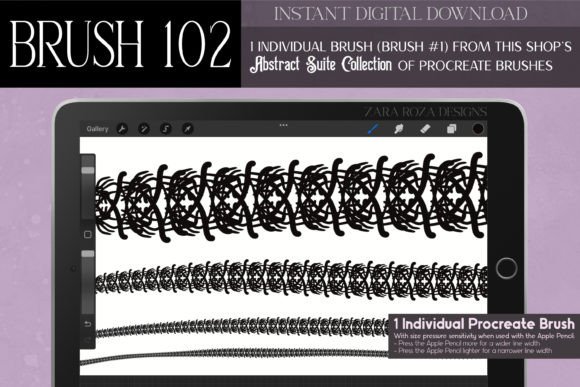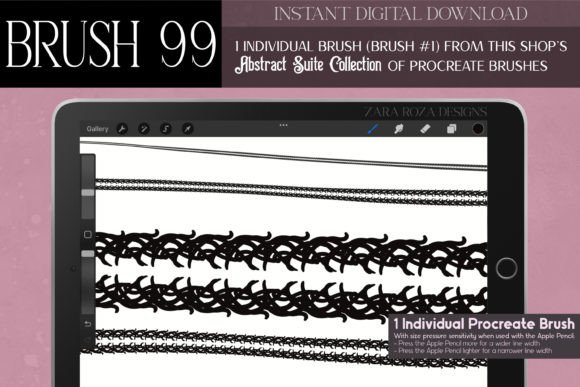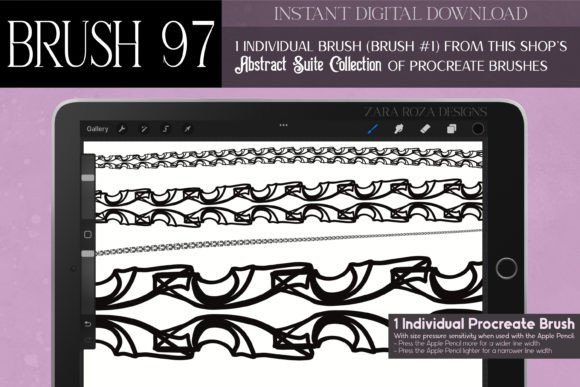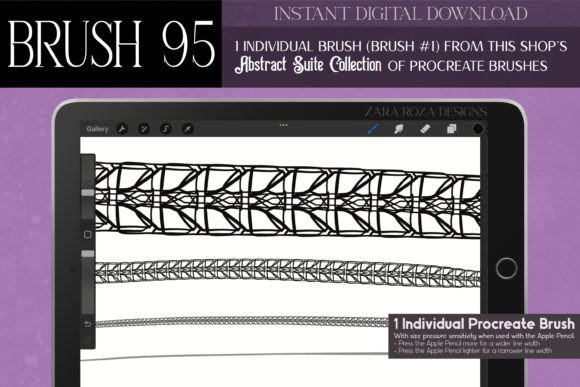
Procreate Brush 107: Abstract Suite
Digital illustration often feels limited by the tools we choose. Standard round brushes are reliable, but they rarely offer the character needed to make a piece truly stand out. This is where specialized assets like Procreate Brush 107 – Abstract Suite change the workflow. Designed for artists who want to inject personality into their line work without spending hours creating custom textures from scratch, this tool bridges the gap between technical precision and organic flair.
The core appeal of this brush lies in its versatility. It is not just a single-stroke stamp; it is a dynamic tool created from a digitally hand-drawn illustration. This means every line you draw carries the nuance of human artistry rather than the sterile perfection of a computer-generated vector. Whether you are designing intricate jewelry concepts, sketching gothic architecture, or adding whimsical details to character designs, this brush adapts to your pressure and speed, offering a natural drawing experience on iPad, iPad Pro, or iPhone.
Understanding the Aesthetic and Design
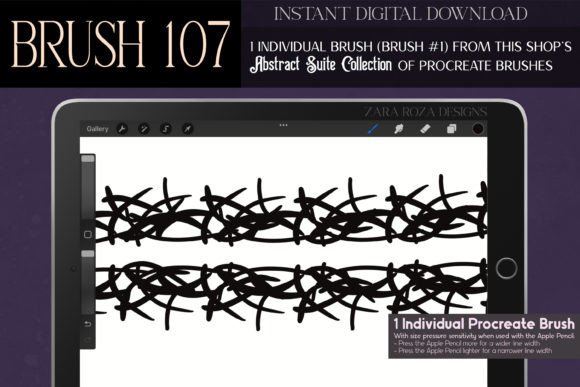
To get the most out of Procreate Brush 107 – Abstract Suite, it helps to understand its visual DNA. The brush is heavily inspired by a blend of historical and fantasy aesthetics, including Art Deco, Art Nouveau, Dark Academia, and Steampunk. These styles share a common love for ornamentation, intricate lines, and a certain moody elegance. When you use this brush, you are tapping into that rich visual history.
The lines produced are classy and bold, making them ideal for projects that require a touch of luxury or mystery. Imagine drawing a spider web for a Halloween illustration that looks delicate yet eerie, or sketching curly branches for a fairy tale forest scene. The brush handles these varied tasks with ease because the underlying texture is complex enough to look interesting on its own, yet simple enough not to overpower your composition.
For those interested in fashion design, this tool is particularly useful for rendering fabric details. You can quickly doodle lace patterns, stitching embellishments, or abstract geometric shapes that mimic high-end garment textures. It saves time during the conceptual phase, allowing you to focus on the silhouette and flow of the clothing rather than getting bogged down in repetitive manual patterning.
Practical Applications for Creators
One of the biggest advantages of an instant digital download like this is the immediate expansion of your creative toolkit. Here are several practical ways different types of users can integrate this brush into their daily workflow:
- Jewelry and Accessory Design: If you create digital mockups for necklaces, bracelets, or earrings, the intricate line quality of this brush helps simulate metalwork and filigree. It adds a sense of weight and craftsmanship to flat digital sketches.
- Tattoo Artistry: Tattoo artists often need bold, clean lines that still possess an organic feel. This brush is excellent for drafting sleeve concepts, magical symbols, or witchy motifs that require a balance between sharp geometry and fluid movement.
- Interior and Architecture Sketching: For interior decorators or architects using Procreate for client presentations, this brush can add decorative elements to walls, windows, or furniture. It brings a Victorian or Gothic mood to room renders, helping clients visualize a specific atmosphere.
- Stationery and Event Planning: Wedding invitations, birthday cards, and holiday greetings benefit greatly from unique borders and ornaments. You can create symmetrical patterns for Christmas cards, spooky accents for Halloween parties, or elegant frames for Valentine’s Day notes. The brush allows for quick iteration, meaning you can test five different border styles in the time it usually takes to draw one.
Enhancing Workflow for Beginners and Professionals
Beginners often struggle with consistency when trying to draw complex patterns by hand. Procreate Brush 107 – Abstract Suite levels the playing field. Because the texture is built into the brush engine, you do not need advanced technical skills to achieve a professional-looking result. You simply draw, and the brush does the heavy lifting regarding texture and variation.
For professionals, such as freelance illustrators or small business owners selling digital goods, this brush is a time-saver. In commercial projects, deadlines are tight. Being able to generate bold graphic designs, anime-style effects, or manga backgrounds quickly can significantly increase productivity. It allows you to take on more diverse clients, from those needing retro vintage summer fashion illustrations to those requiring dark, moody academic-themed book covers.
Moreover, the brush supports various artistic mediums within the app. You can use it for hand lettering, adding flourishes to calligraphy, or even for nail art designs if you are creating digital beauty content. Its adaptability extends to makeup illustrations, where you might need to draw intricate eyeliner styles or decorative face gems for fantasy characters.
Important Considerations Before Use
While Procreate Brush 107 – Abstract Suite is a powerful tool, there are a few things to keep in mind to ensure it fits your needs. First, remember that this is a digital asset specifically for the Procreate app. You will need an iPad, iPad Pro, or iPhone with Procreate installed to use it. It is not compatible with desktop software like Photoshop or Clip Studio Paint unless you export your artwork as an image file after drawing.
Second, consider your device’s performance. Highly detailed brushes can sometimes be resource-intensive if used on very large canvases with hundreds of layers. While this brush is optimized for efficiency, it is always good practice to manage your layer count and canvas size to maintain smooth performance, especially on older iPad models.
Finally, think about your personal style. This brush leans towards the ornate, the mystical, and the structured. If your primary work involves minimalist, ultra-clean corporate graphics, this might not be your go-to tool for every project. However, if you enjoy adding depth, history, and character to your art—whether through boho patterns, kawaii details, or steampunk gears—this brush will likely become a staple in your library.
Getting Started with Your Download
Once you complete the instant digital download, installing the brush is straightforward. Open the file on your iPad, and it should automatically import into Procreate. Start by experimenting with pressure sensitivity. Try drawing slow, deliberate lines to see the full detail of the texture, then switch to quick, gestural strokes to see how the brush simplifies the shape for faster sketching.
Play with opacity and flow settings within Procreate to customize the look further. Lowering the opacity can create subtle background textures or watercolor-like effects, while keeping it at 100% gives you those bold, ink-pen doodles perfect for comics and cartoons. Do not be afraid to combine this brush with others. Use it for the outlines and a soft airbrush for shading, or layer it over photos to add a hand-drawn, artistic overlay to your digital collages.
Ultimately, Procreate Brush 107 – Abstract Suite is more than just a tool; it is a source of inspiration. It invites you to explore themes of magic, elegance, and retro charm in your digital art. By reducing the technical barrier to creating complex patterns, it frees you to focus on what matters most: your creativity and vision.