Realistic Embossed Logo Mockup on Wall: A Practical Guide for Designers
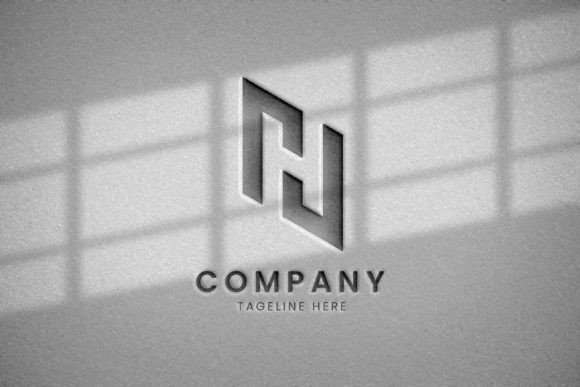
In the realm of digital branding and visual identity, the presentation of a logo is just as critical as its design. A Realistic Embossed Logo Mockup on Wall serves as a vital tool for designers, marketers, and business owners who need to visualize how a brand mark will appear in a physical or semi-physical environment. This resource allows users to project their two-dimensional designs onto textured surfaces, providing a tangible sense of scale, material, and lighting that flat images often lack.
For professionals working on web designs, social media promotions, or print publications, understanding the utility and limitations of these mockups is essential. This article explores the features, benefits, and practical applications of editable metallic silver logo mockups, helping you determine if this tool aligns with your current project requirements.
Understanding the Tool and Its Functionality
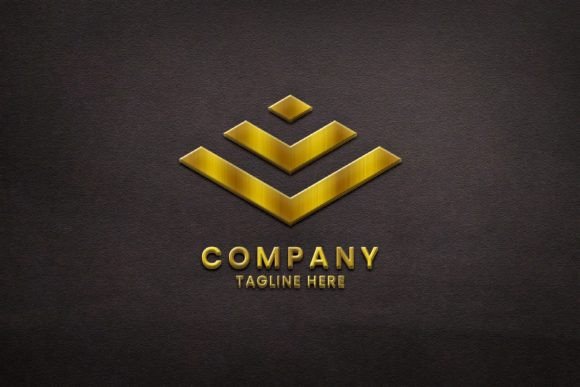
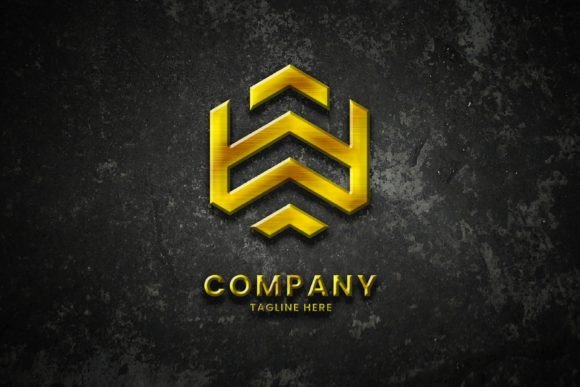
A logo mockup is essentially a pre-designed Photoshop file that uses smart objects to seamlessly integrate your custom design into a realistic scene. The specific variant discussed here features an embossed effect on a wall, rendered in metallic silver. This aesthetic choice adds a layer of sophistication and modernity, making it suitable for high-end brands, tech startups, or minimalist corporate identities.
The core functionality relies on Adobe Photoshop’s smart object technology. Users do not need advanced graphic design skills to operate this tool. The process is streamlined: you open the PSD file, locate the designated smart object layer, double-click it, paste your logo, and save. The software automatically applies perspective, lighting, shadows, and texture maps to make the logo appear as though it is physically part of the wall structure. The files are typically provided in both PSD and JPG formats, with the color mode set to RGB, which is optimized for digital screens.
Why Choose an Embossed Wall Mockup?
There are several strategic reasons why a designer might select this specific type of mockup over others. The primary advantage is contextual realism. When presenting a logo to a client or showcasing it on a portfolio, a flat vector file can feel abstract. Placing the logo on a textured wall gives it weight and presence. It helps stakeholders imagine the brand in a real-world setting, such as an office lobby, a retail storefront, or an exhibition booth.
Furthermore, the metallic silver finish offers a neutral yet premium backdrop. Unlike colorful backgrounds that might clash with certain brand palettes, silver acts as a sophisticated neutral tone. It reflects light dynamically, adding depth and dimension that flat colors cannot achieve. This makes it particularly effective for:
- Social Media Promotions: Eye-catching visuals for Instagram, Facebook, and Twitter feeds that stand out in crowded timelines.
- Web Design Headers: Creating impactful hero sections for websites where brand authority needs to be established immediately.
- Publication Promotion: Enhancing flyers, posters, magazines, and event papers with a professional, polished look that suggests high production value.
Evaluating Benefits and Tradeoffs
When considering the adoption of a Realistic Embossed Logo Mockup on Wall, it is important to weigh the benefits against potential limitations. Understanding these factors ensures that the tool is used effectively and expectations are managed appropriately.
Key Benefits
The most significant benefit is efficiency. Creating a realistic 3D render from scratch requires specialized software, lighting knowledge, and significant time investment. A pre-made mockup reduces this process to minutes. Additionally, the fully layered and well-organized structure of the PSD file allows for customization. Users can adjust background colors, tweak lighting intensity, or modify the texture of the wall to better suit their specific brand guidelines.
Another advantage is accessibility. The requirement for "no skill" beyond basic Photoshop navigation means that junior designers, marketing managers, or even small business owners can produce professional-grade visuals without hiring a 3D artist. The high-resolution output ensures that the images remain crisp whether viewed on a mobile device or a large desktop monitor.
Considerations and Limitations
However, there are tradeoffs. Since the color mode is RGB, these files are primarily intended for digital use. If you intend to print the final image for a large-format poster, you must ensure the resolution is sufficient (typically 300 DPI) and consider converting the color profile, although RGB is standard for web-based promotions. Additionally, while the metallic silver effect is versatile, it may not align with brands that rely heavily on warm, organic, or matte aesthetics. In such cases, a different texture or finish might be more appropriate.
It is also worth noting that while the mockup is editable, the underlying geometry of the embossment is fixed. You cannot change the angle of the wall or the depth of the embossing significantly without altering the source file’s complex layer styles, which may require advanced skills. Therefore, this tool is best suited for projects where the perspective and lighting direction are acceptable as-is.
Ideal Use Cases and Alternatives
To maximize the value of this tool, it is helpful to identify situations where it is a strong fit versus when alternatives might be preferable.
When This Mockup Is a Strong Fit
This mockup excels in scenarios requiring a sleek, modern, and professional appearance. It is ideal for tech companies, financial institutions, luxury goods, and architectural firms. If you are creating a launch campaign for a new app or service, the metallic embossed look conveys innovation and stability. It is also highly effective for digital portfolios, where designers need to showcase their logo work in a way that demonstrates an understanding of material and light.
For social media managers, the ease of updating the smart object allows for rapid content creation. You can quickly generate variations for different platforms, ensuring consistent branding across Instagram stories, Facebook posts, and LinkedIn articles.
When to Consider Alternatives
If your brand identity is rooted in natural materials, such as wood, paper, or fabric, a metallic wall mockup may create a dissonant visual message. In these cases, consider mockups that feature organic textures or soft lighting. Similarly, if you need to showcase a logo in a dynamic, action-oriented context (such as on a moving vehicle or a person’s clothing), a static wall mockup will not suffice. For those instances, lifestyle photography or 3D animation tools might be more appropriate.
Additionally, if your primary output is strictly print-based and requires CMYK color accuracy from the start, you may need to invest time in color profiling or seek mockups specifically designed for print workflows, although many high-quality RGB mockups can be converted with careful adjustment.
Practical Decision-Making Insights
Before downloading or purchasing a Realistic Embossed Logo Mockup on Wall, assess your technical environment. Ensure you have access to Adobe Photoshop, as this is the required software for editing smart objects. Verify that your computer can handle high-resolution PSD files, which can be large in file size.
Consider your end goal. If the primary aim is to enhance digital engagement through visually striking social media posts or website banners, this tool offers a high return on investment due to its speed and aesthetic appeal. However, if you require complete control over every aspect of the lighting and geometry, you might find the preset nature of the mockup restrictive.
Ultimately, the decision should align with your brand’s visual language. The metallic silver embossed effect is powerful, but it must complement rather than compete with your logo design. By evaluating these factors, you can determine whether this mockup is the right asset to elevate your brand presentation.
In conclusion, the Realistic Embossed Logo Mockup on Wall is a versatile and efficient resource for modern digital design. It bridges the gap between abstract logo concepts and tangible brand experiences, offering a professional polish that enhances credibility and visual impact. By understanding its features, benefits, and limitations, you can make informed decisions that support your creative and marketing objectives.