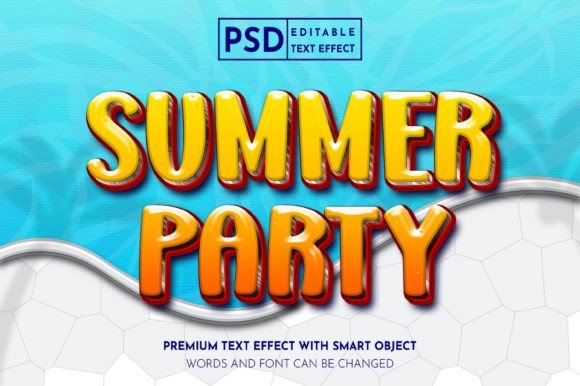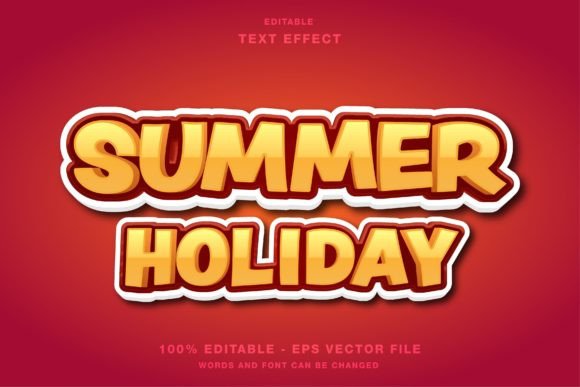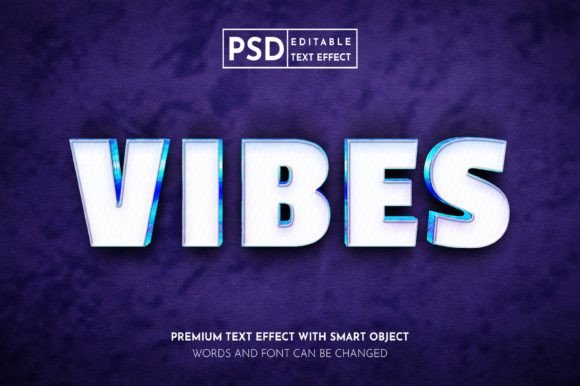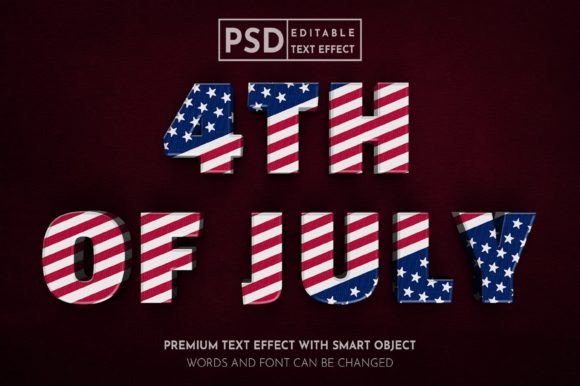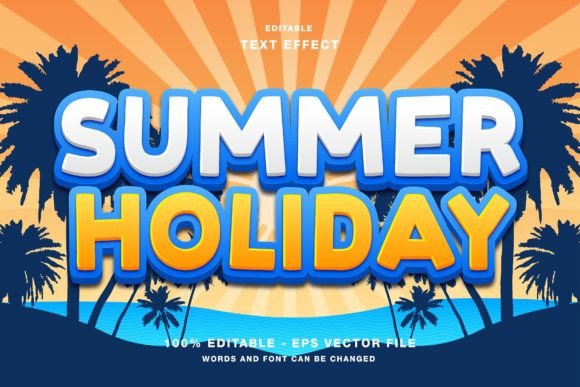
Summer Holiday Editable Text Effect
Capturing the essence of a season in graphic design requires more than just selecting a font. It demands an atmosphere, a feeling of warmth, and a visual cue that instantly transports the viewer to sun-drenched beaches or vibrant city streets. The Summer Holiday - Editable Text Effect serves as a powerful bridge between creative intent and technical execution. Designed specifically for Adobe Illustrator, this resource allows designers to apply complex, professional-grade styling to their typography with minimal effort. Whether you are crafting a social media post for Instagram or designing a large-format poster for a local event, the ability to manipulate text while retaining high-quality effects is invaluable.
This tool is not merely a static image; it is a fully customizable asset. The inclusion of EPS and JPG files ensures compatibility across various workflows, while the RGB color mode makes it ideal for digital displays. By understanding how different users can leverage this effect, you can determine if it aligns with your current project needs and long-term design goals.
Understanding the Tool and Its Flexibility
At its core, this text effect is a pre-styled template that simplifies the creation of summer-themed typography. The term "editable" is the key feature here. Many beginners struggle with layer styles, blending modes, and vector paths in Illustrator. This resource removes that barrier by providing a structure where the user only needs to input their desired text. The underlying effects—whether they mimic sunlight, sand textures, or vibrant tropical colors—remain intact regardless of the characters used.
The file format plays a crucial role in its utility. Since the primary files are in EPS format, they retain vector scalability. This means the text can be resized from a small Twitter header to a massive billboard without losing clarity. The accompanying JPG files offer a quick preview or a rasterized option for platforms that do not support vector uploads. Furthermore, the RGB color mode is optimized for screens. This is a critical distinction for modern marketers and content creators who prioritize digital presence over print materials.
Perspectives for Digital Marketers and Social Media Managers
For professionals managing brand presence on platforms like Instagram, Facebook, and Twitter, speed and consistency are paramount. A social media manager often faces tight deadlines, needing to produce engaging visuals for flash sales, holiday greetings, or event announcements. The Summer Holiday - Editable Text Effect addresses the need for rapid production without sacrificing aesthetic quality.
- Visual Consistency: Using a predefined effect helps maintain a cohesive look across multiple posts during a summer campaign.
- Engagement Boost: Eye-catching typography stands out in crowded feeds, potentially increasing click-through rates and likes.
- Time Efficiency: Instead of building effects from scratch, marketers can swap text and export within minutes.
Consider a scenario where a travel agency needs to promote last-minute beach packages. By using this text effect, they can create a series of stories and posts that look professionally designed, reinforcing the brand's association with luxury and leisure. The RGB color profile ensures that the vibrant yellows, blues, and oranges appear exactly as intended on mobile devices, where most users will view the content.
Value for Small Business Owners and Entrepreneurs
Small business owners often wear multiple hats, including that of the graphic designer. For entrepreneurs running cafes, retail shops, or service-based businesses, creating promotional materials like flyers, posters, or magazine ads can be costly if outsourced. This editable text effect offers a cost-effective solution for high-impact marketing materials.
An entrepreneur might use this tool to design a window display poster for a summer sale. The ability to edit all elements means they can adjust the text to fit specific promotions, such as "50% Off Summer Gear" or "Cool Drinks Here." The flexibility of the design allows for customization that aligns with brand colors, ensuring that the promotional material feels authentic rather than generic. For those with limited design experience, the pre-set nature of the effect reduces the risk of poor design choices, resulting in a polished final product that enhances credibility.
Applications for Educators and Content Creators
Educators and bloggers often seek ways to make their content more visually appealing. A teacher creating a newsletter for parents or a student organizing a summer camp event can use this text effect to add a festive touch to headers and titles. Similarly, bloggers writing about travel tips, seasonal recipes, or lifestyle changes can use the effect to create featured images that capture attention.
The ease of use is particularly beneficial for this group. They may not have advanced skills in Adobe Illustrator, but the straightforward editing process allows them to achieve professional results. By simply typing their headline into the provided text box, they can generate a striking visual that complements their written content. This enhances the overall presentation of their work, making it more engaging for their audience.
Considerations for Professional Designers
Even experienced designers can find value in pre-made assets, particularly when working under tight constraints or handling high volumes of work. For a professional, the Summer Holiday - Editable Text Effect can serve as a starting point or a base layer that is further customized. The vector nature of the EPS files allows for deep manipulation. Designers can adjust anchor points, modify gradients, or combine the effect with other graphical elements to create unique compositions.
Professionals may evaluate this tool based on its flexibility and integration potential. Can the effect be easily masked? Can the colors be adjusted to match a specific client’s brand guidelines? The answer lies in the editable nature of the file. Since all elements are customizable, a skilled designer can tweak the hue, saturation, and brightness to fit diverse project requirements. This makes it a versatile addition to a designer’s asset library, suitable for both quick turnarounds and more elaborate design projects.
How to Determine If This Effect Fits Your Needs
Choosing the right design resource depends on your specific goals, skill level, and project type. To decide if the Summer Holiday text effect is suitable for you, consider the following factors:
- Platform Requirements: If your primary output is digital (web, social media, email newsletters), the RGB color mode is ideal. If you require CMYK for high-end print publishing, you may need to convert the colors, which could alter the vibrancy.
- Software Proficiency: While the effect is designed to be easy to use, basic familiarity with Adobe Illustrator is necessary to edit the text and export the files. Beginners may need to watch a short tutorial, but the learning curve is shallow.
- Customization Needs: If you require a highly unique, one-of-a-kind design, a pre-made effect might feel restrictive. However, if you need a reliable, high-quality base that can be tweaked, this tool offers excellent value.
- Project Volume: For single, isolated projects, buying a specific effect might not be cost-effective. However, if you frequently create seasonal content, having a library of such effects can significantly streamline your workflow.
Ultimately, the Summer Holiday - Editable Text Effect is a practical solution for anyone looking to enhance their visual communication with minimal technical overhead. It balances aesthetic appeal with functional ease, making it a relevant tool for a wide range of users. By focusing on editability and digital optimization, it addresses the common pain points of modern content creation: the need for speed, quality, and adaptability.
Whether you are a marketer aiming to boost engagement, a business owner promoting a seasonal sale, or a creator adding flair to your blog, this tool provides a straightforward path to professional-looking results. The key is to recognize its strengths—vector scalability, RGB optimization, and full editability—and apply them where they matter most in your workflow. By doing so, you can elevate your summer-themed designs without getting bogged down in complex technical processes.